Course contents
- 01Variables
- 02Primitive Data Types
- 03Operators
- 04Conditionals
- 05Arrays
- 06Array methods and properties
- 07Objects
- 08Functions
- 09Callbacks
- 10Arrow functions
- 11Promises
- 12Async and await
- 13Loops
- 14DOM Manipulation
- 15Syntax parser
- 16Execution context and hoisting
- 17Call stack
- 18WebAPI and setTimeout
- 19Closures
- 20Function Constructors and Prototypes
- 21By value vs by reference
Conditionals
In your code, you sometimes have to make decisions. Based on whether a certain condition is true or not, we can control whether certain blocks of code get executed. There are several ways of making such decisions.
if else statements
The syntax of an if else statements consists of at least two parts: if the condition between the parentheses returns true, the code after the “if” statement will be executed. However, if it returned false, the code in the “else” statement will be executed.
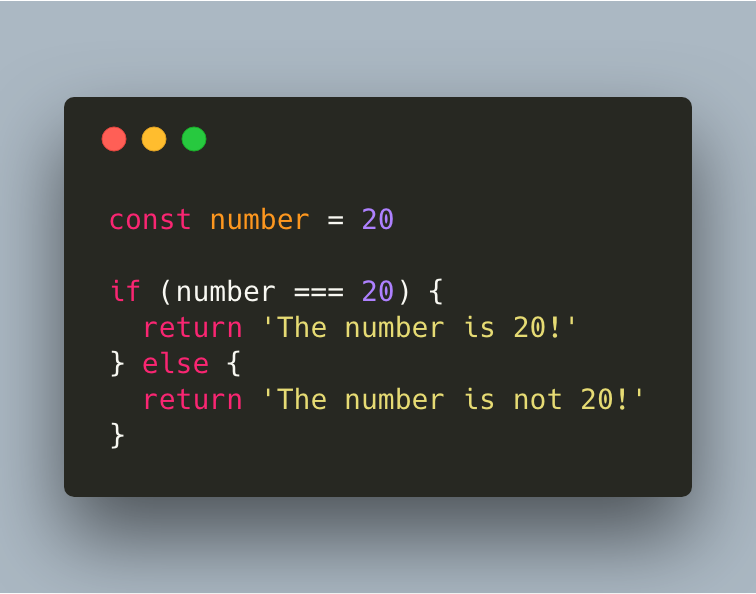
If you want more conditions to be taken into consideration, you can also add many “else if”s.
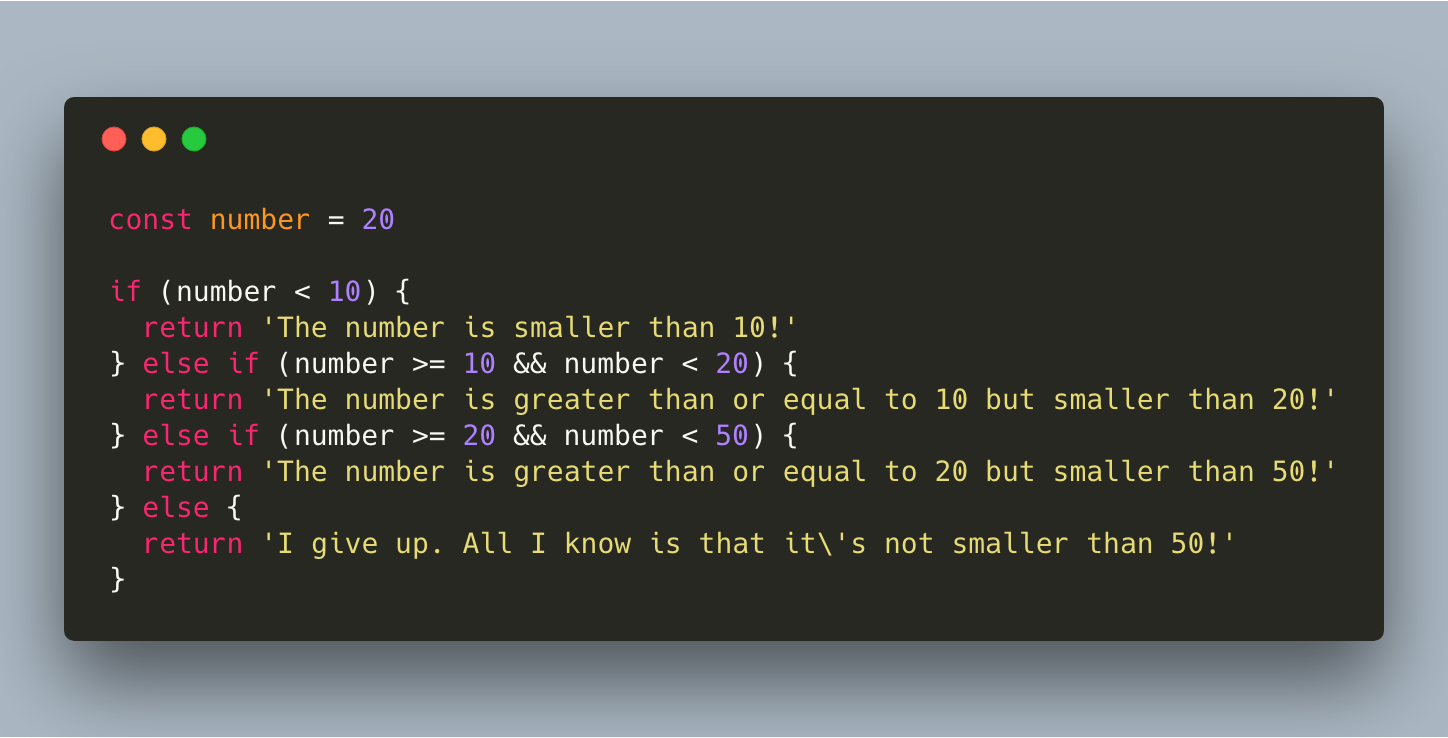
In our case, JavaScript first checks if “number < 10” returns true. This is not the case, and it goes to the next one “number >= 10 && number < 20”. This also returns false, as “number < 20” returns false, and with the && operator both values need to be truthy. It goes to the next one, which is “number >= 20 && number < 50” which returns true! The code block gets run, and we will get “The number is greater than or equal to 20 but smaller than 50” returned.
Conditional operator
There are shorter ways to write similar logic to an if else statements, namely with conditional operators.
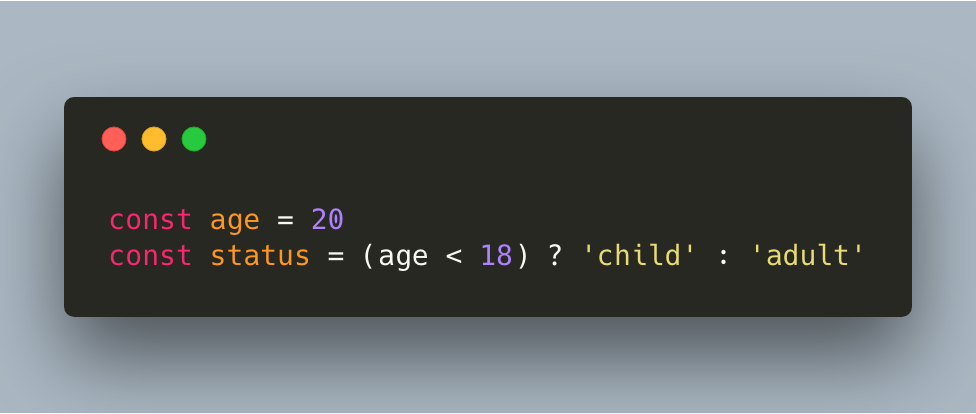
We can check whether a person is a child or an adult based on their age. If they’re younger than 18 years old, they’re a child. Else, they’re an adult. If the condition “age < 18” returns true, the first option will get returned, which in this case is ‘child’. Else, if the condition returns false, the second option will get returned, which is ‘adult’. In this case, “age < 18” returns false as 20 is bigger than 18, so the variable status will get the value of ‘adult’.
Switch statements
It can be that you would get many “else” statements, which can be quite ugly. In that case, you can use switch statements instead! The syntax of a switch statement is quite different:
A switch statement receives an expression as argument. Different blocks of code can get returned, based on the value of that expression.
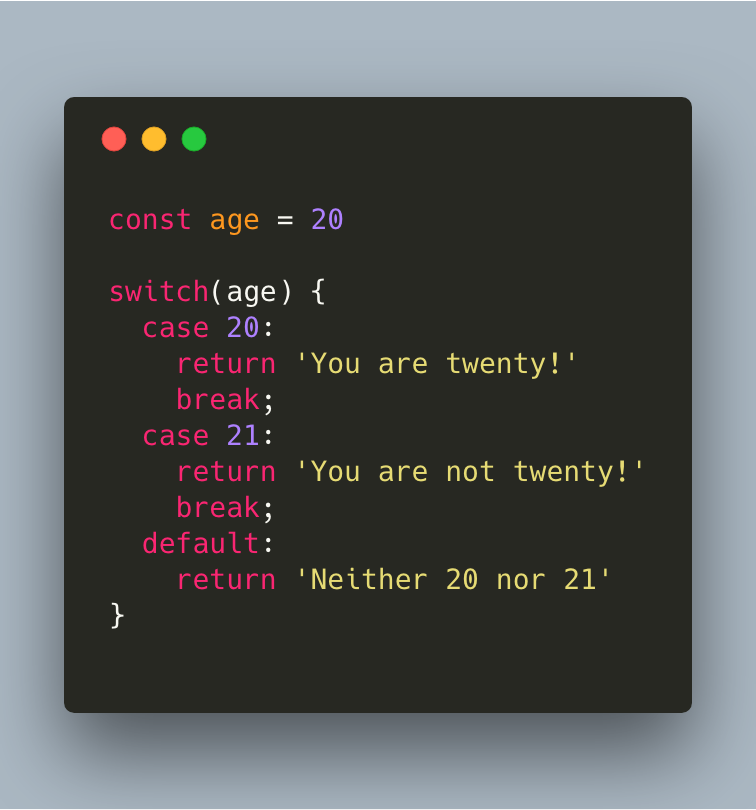
In case the variable age is equal to 20, ‘You are twenty’ gets returned. If age is equal to 21, ‘You are not twenty’ will be returned. If it’s neither 20 nor 21, the default code block gets executed. There are a couple of things to keep in mind here:
Parentheses after break are necessary!
There is no break at the default code block
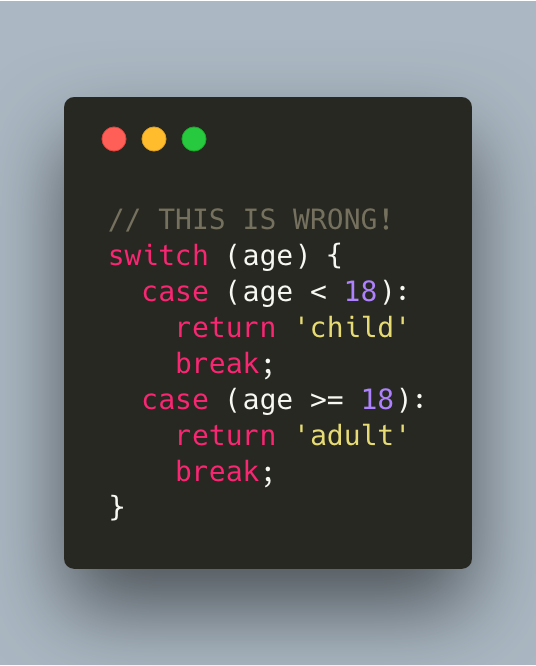
Don’t use switch cases if you need comparisons!
The last point is quite important. This example shows the WRONG usage:
References and further reading
- MDN: if elseThe core branching statement.
- MDN: switchA cleaner branch when one value has many cases.