Course contents
- 01Variables
- 02Primitive Data Types
- 03Operators
- 04Conditionals
- 05Arrays
- 06Array methods and properties
- 07Objects
- 08Functions
- 09Callbacks
- 10Arrow functions
- 11Promises
- 12Async and await
- 13Loops
- 14DOM Manipulation
- 15Syntax parser
- 16Execution context and hoisting
- 17Call stack
- 18WebAPI and setTimeout
- 19Closures
- 20Function Constructors and Prototypes
- 21By value vs by reference
Array methods and properties
With array methods and properties, we can manipulate, add, remove, or loop over elements in an array.
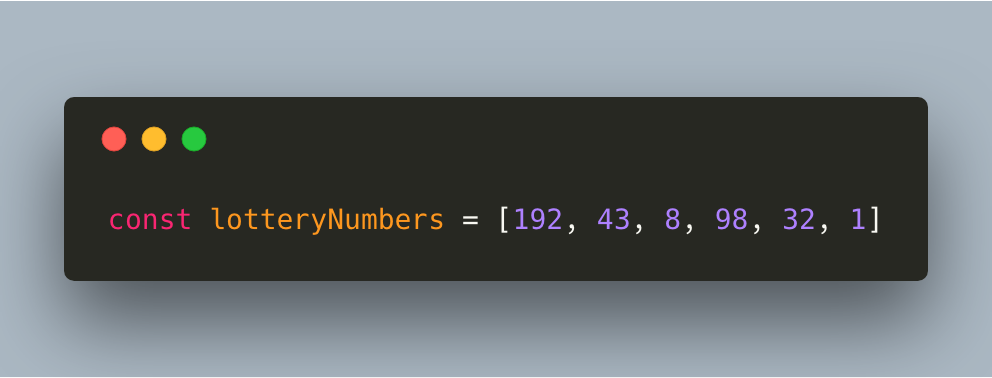
Let’s say we have this array as example:
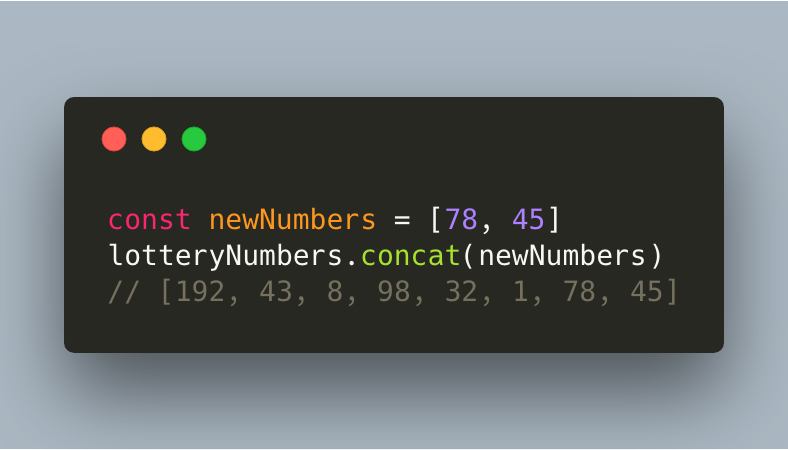
.concat()
Joins two arrays, and returns a copy of the joined arrays.
.every()
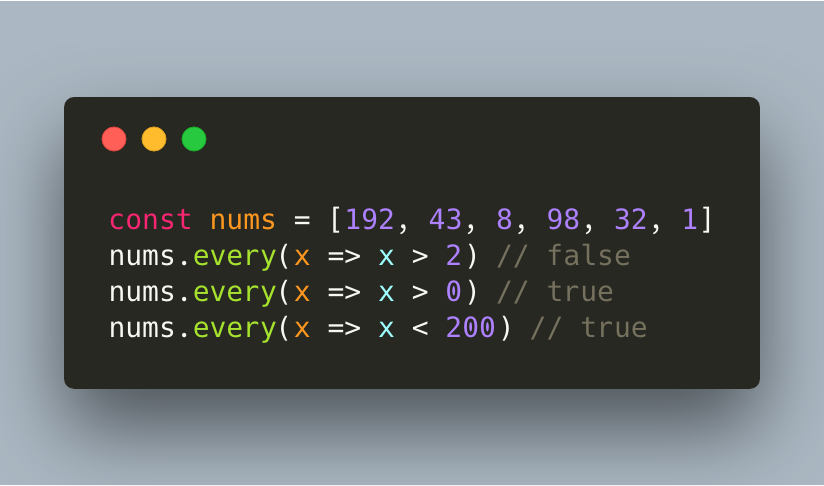
Checks if every element in an array returns true for a certain condition. Only if the condition returns true for every element in the array, true gets returned.
.fill()
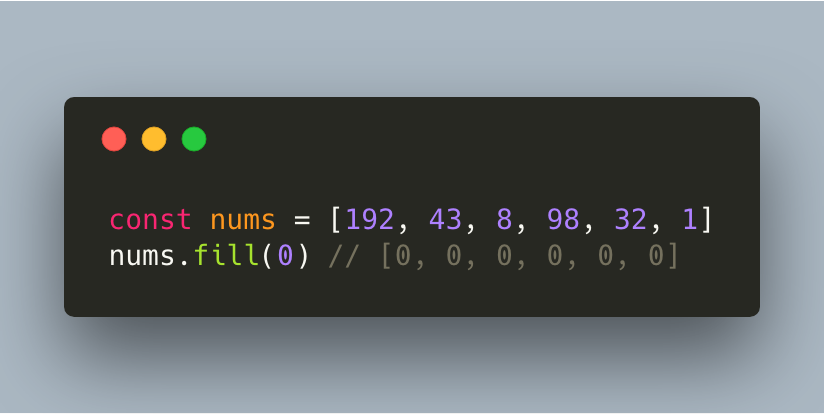
Modifies the original array and fills it with a static value.
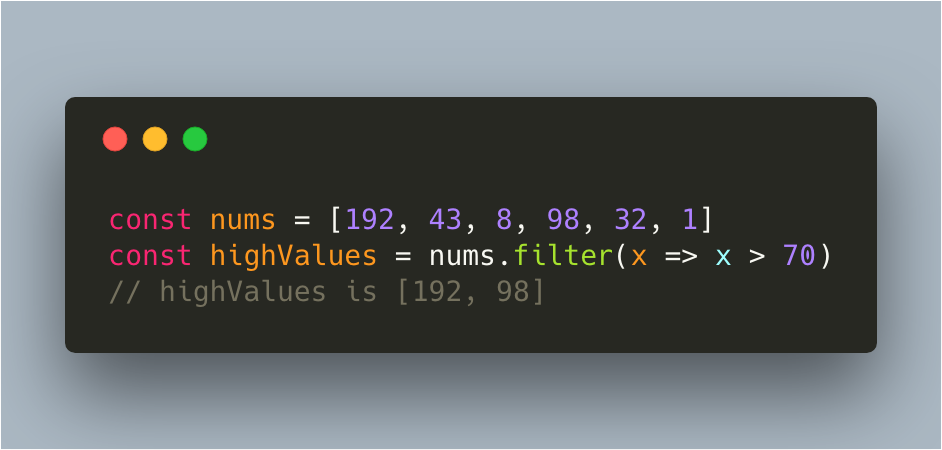
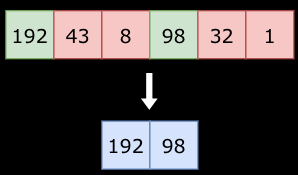
.filter()
Creates a new array with all the values for which the condition returns true.
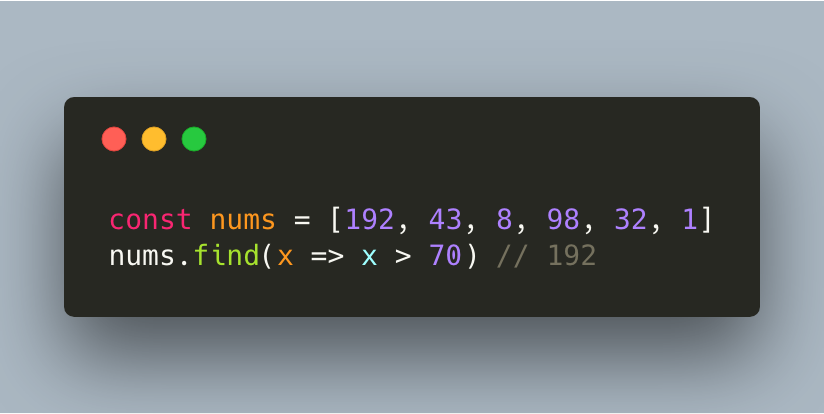
.find()
Returns the first value for which the condition returns true.
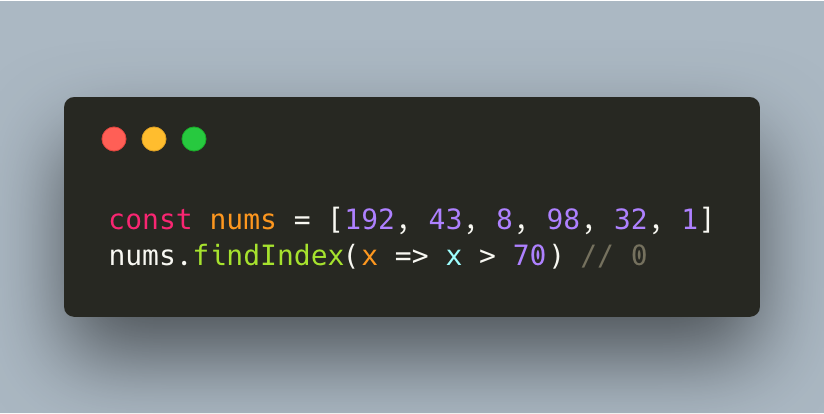
.findIndex()
Returns the index of the first element for which the condition returns true.
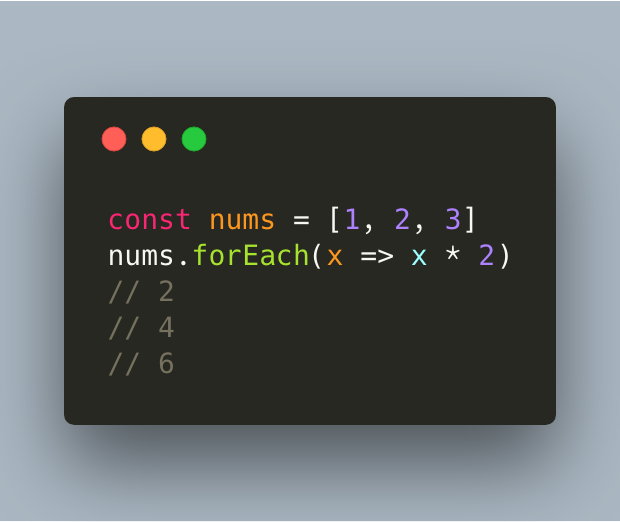
.forEach()
Calls a function for each element in an array.
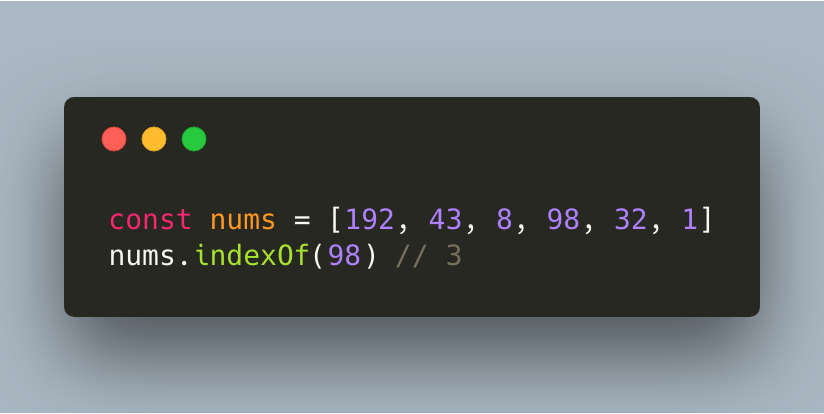
.indexOf()
Returns the index of the element in the array you’ve specified.
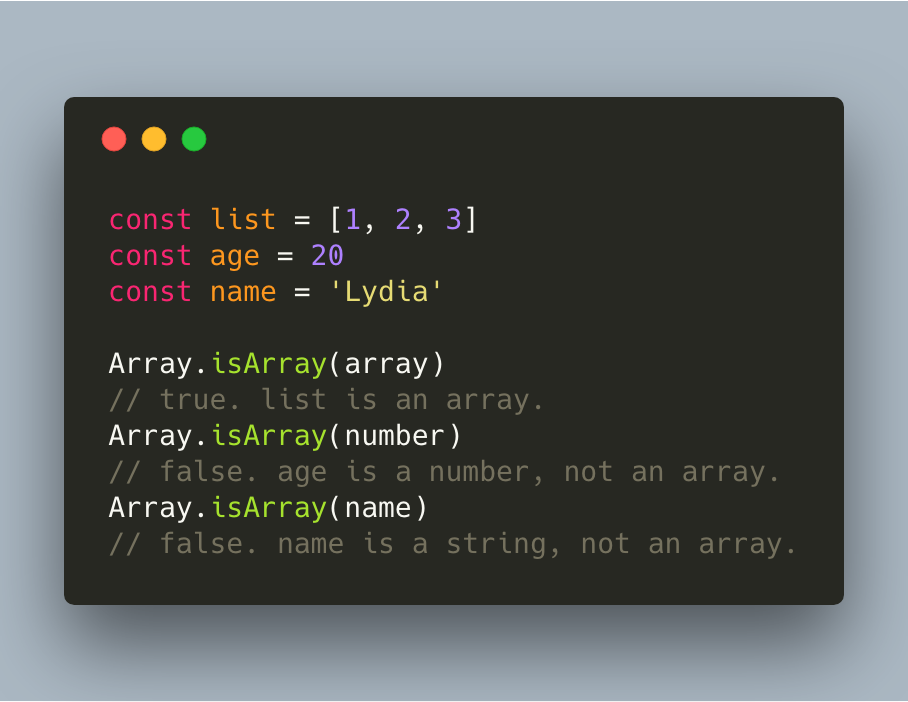
Array.isArray()
Array.isArray() checks whether the passed parameter is an array or not.
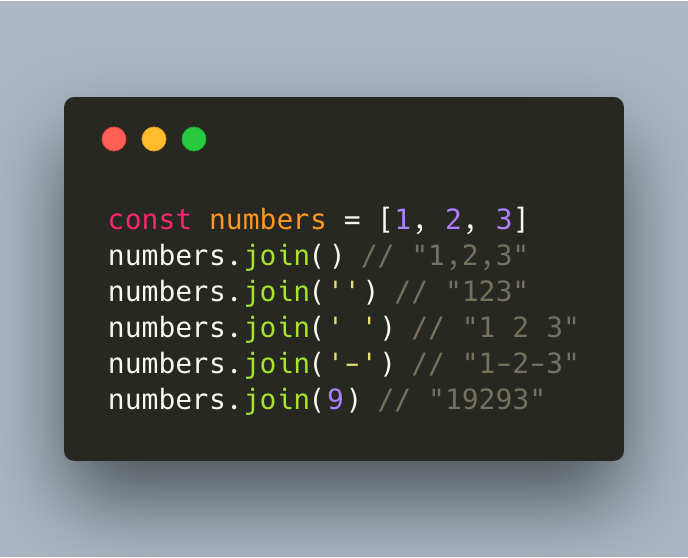
.join()
Returns a string of the elements in the array, separated by an optional argument given by you. By default, the elements just get returned in the form of a string. By passing an argument, you can specify how you want the numbers to be separated when they get returned as a string.
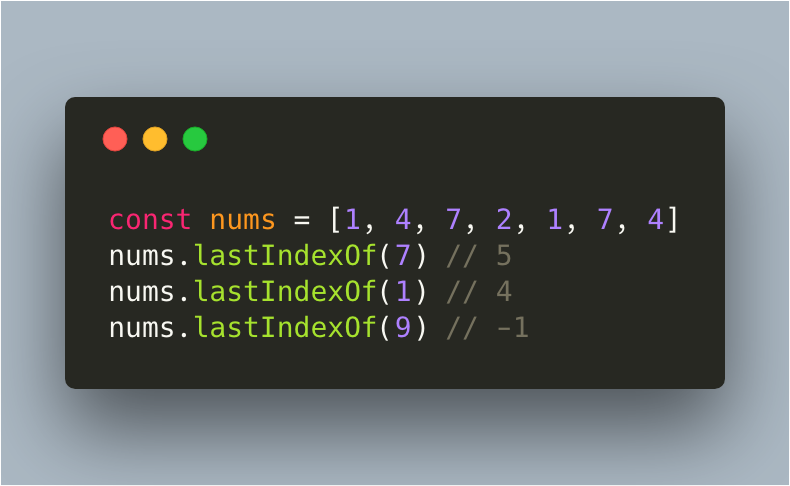
.lastIndexOf()
Returns the last index of the element you passed as argument. If no element was found, the value minus 1 is returned.
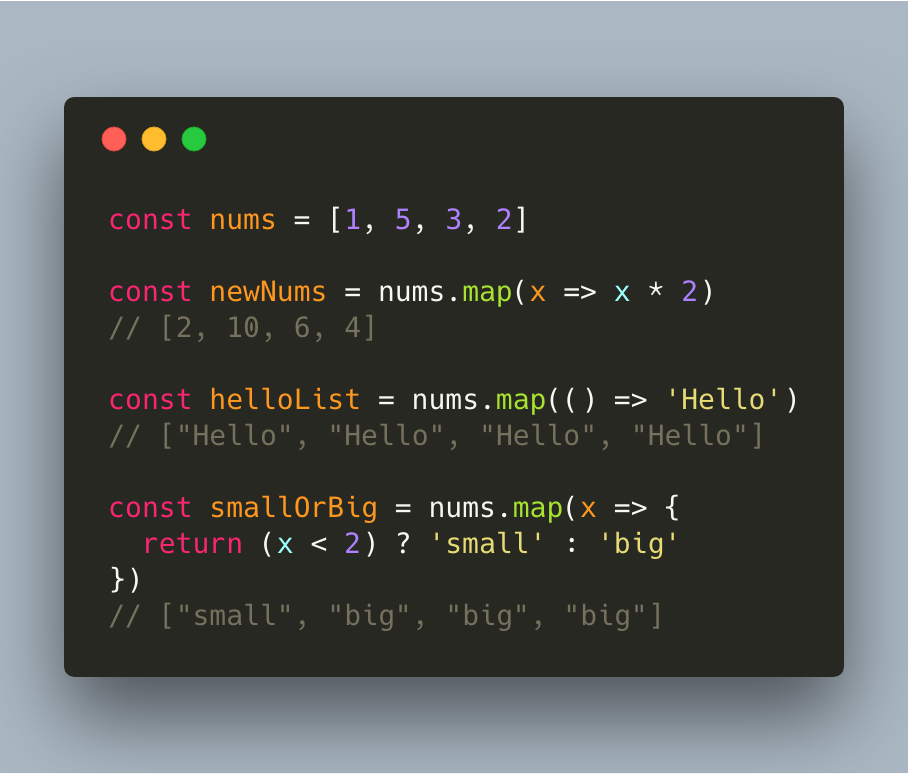
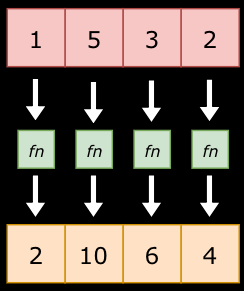
.map()
Creates a new array based on the function that’s passed as argument.
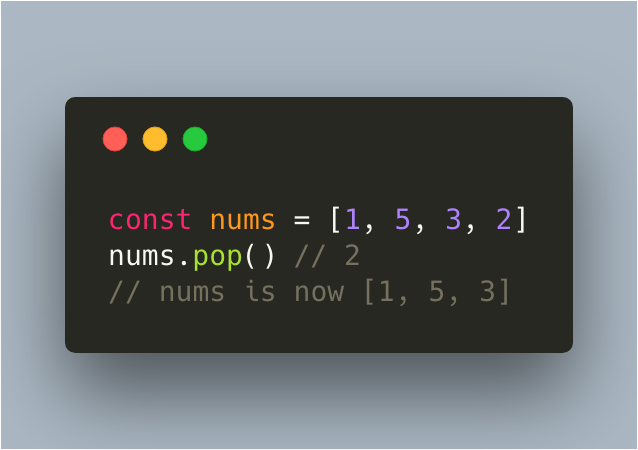
.pop()
Removes the last element of an array, and returns that element. It modifies the original array!
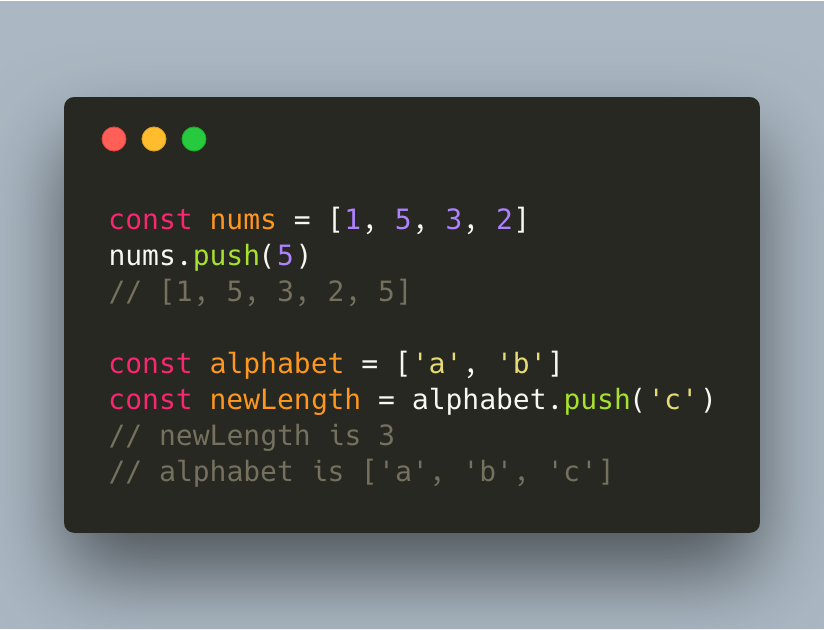
.push()
Adds a new element to the end of an array. If you define a variable with the .push method, this variable will get the value of the length of the new array!
.reduce()
Reduce the values of the elements of an array to a single value (going left to right). The reduce method receives at least two arguments: the accumulator and the current value. When we go over the array, we basically collect the values of each element, and do something with them. The accumulator is the “accumulated” value of the elements so far, the current value is the value that’s currently the active element in the array as we’re walking over it.
Let’s say that we simply want to add both values together, and in the end return the value of all elements summed up.
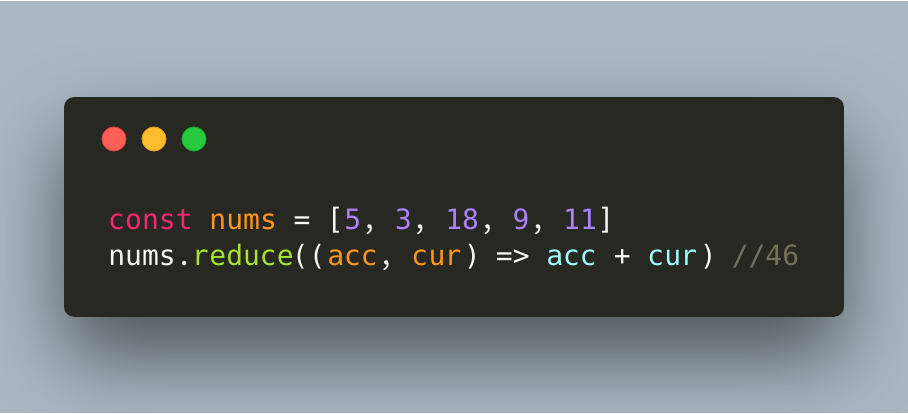
Green: current value. Orange: accumulator.
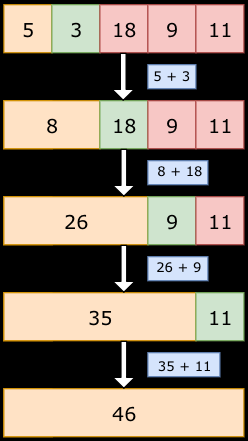
Although we are just adding the two values in this example, you can do anything based on the value of the accumulator and current value. The reduce method actually receives two arguments: the callback function, and an optional initial value. In the example above, we didn’t provide an initial value, thus the reduce method started at index 1. The accumulator was equal to the element on index 0.
However, if we add an initial value, the reduce method will start at index 0 and take the initial value as the first accumulator. Example:
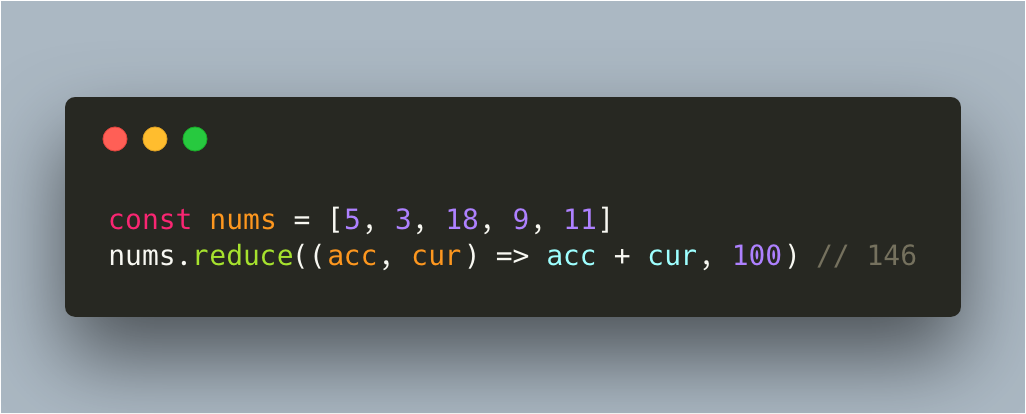
Although the reduced value of the elements in the array is 46, the initial value of 100 got added too.
Like stated before, you can do anything with the accumulator and the current value. Let’s say that we have an array of objects instead. In this case, you must provide an initial value.
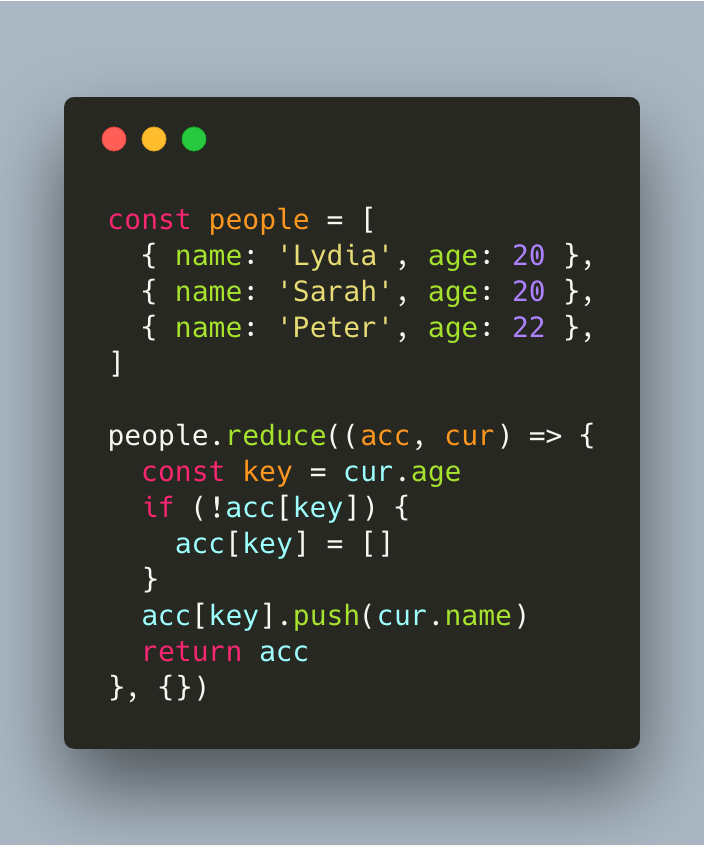
We create an object that stores people based on their age. What’s actually happening here, is the following:
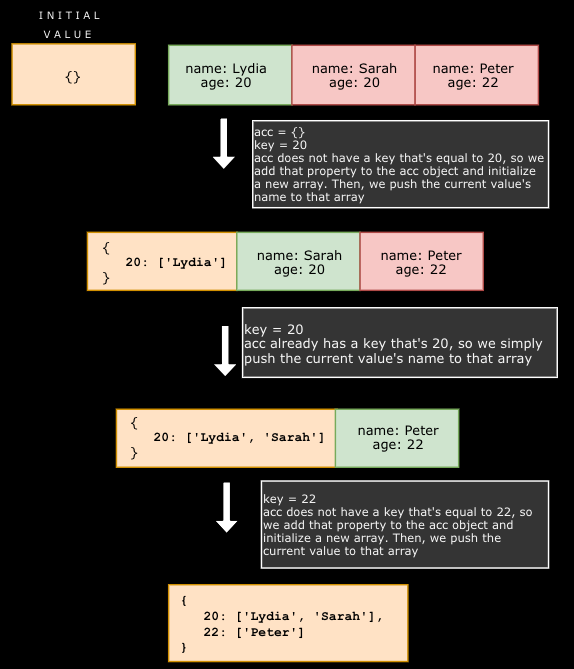
We return the accumulator at the end, which is the object with the sorted people based on their age.
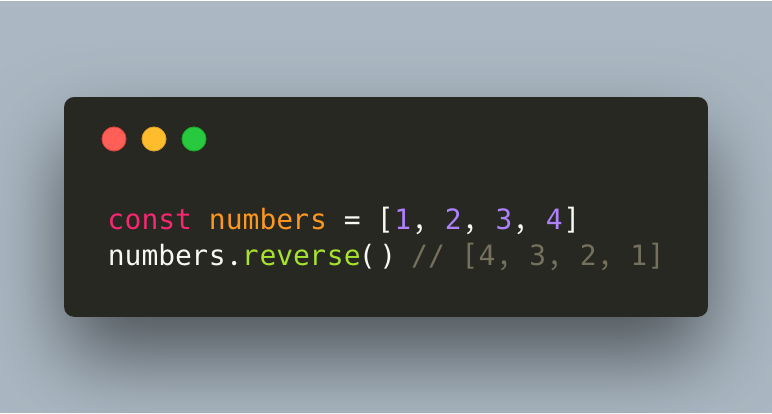
.reverse()
Returns the array, reversed.
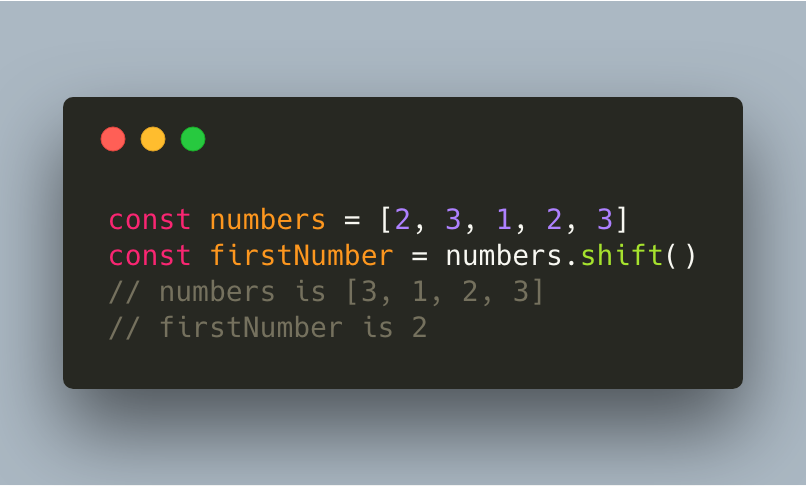
.shift()
The shift method removes the first element of an array, and returns that value. It modifies the original array!
.slice()
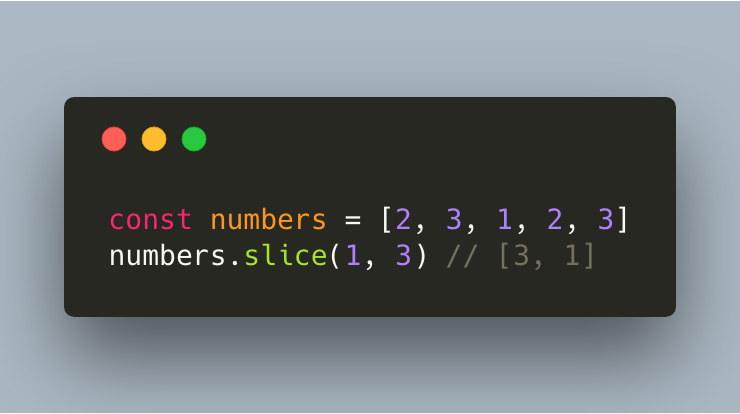
Selects a part of an array based on the passed arguments, and returns a new array.
The method receives two arguments: the first one is the index of the value in the original array where the new array should start, and the second one is the index of the value where the new array should end, + 1. If we want the new array to contain the values that are on index 1 and 2 in the original array, we would pass 1 and 3 as arguments.
.some()
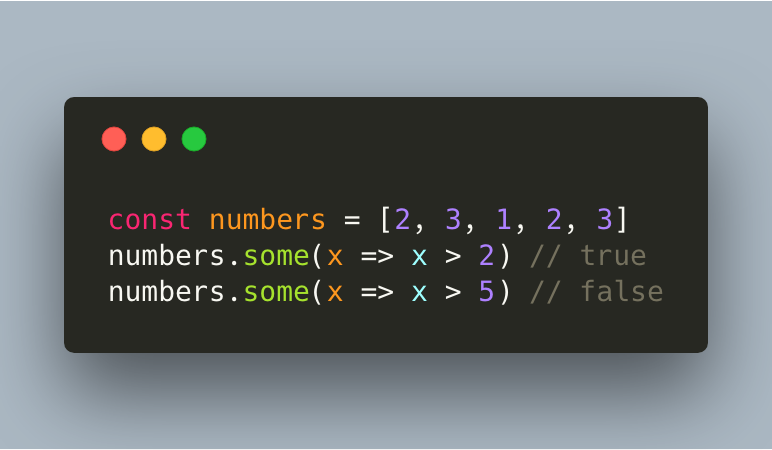
Checks if at least one element in the array passes the condition.
.sort()
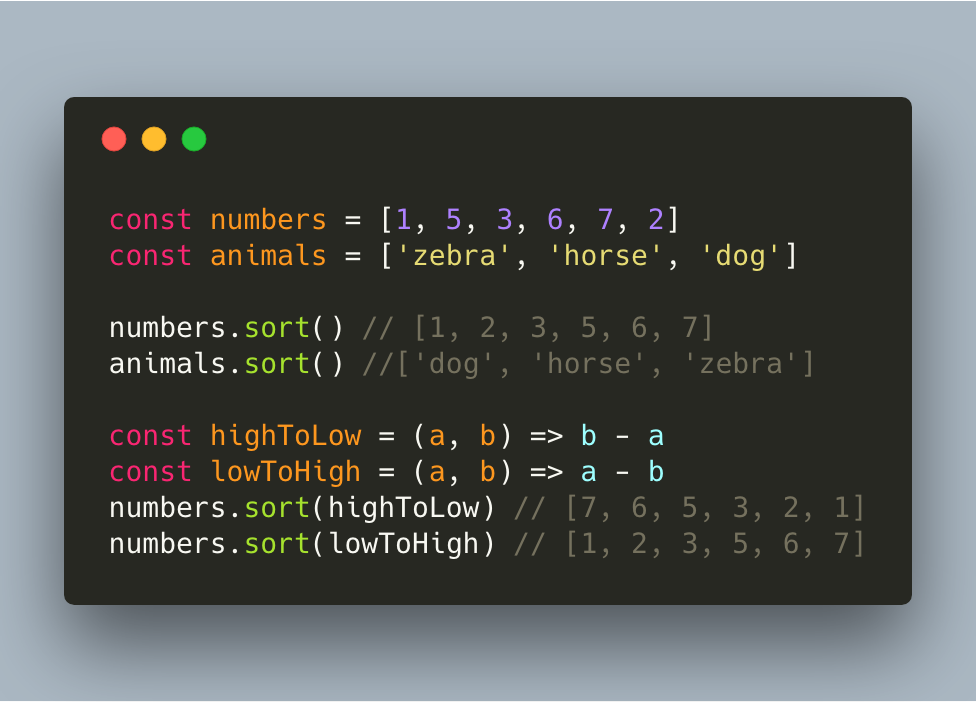
Sorts the elements of an array. By default, elements are sorted numerically (low to high) or alphabetically (a to z), however it is possible to add your own logic.
.splice()
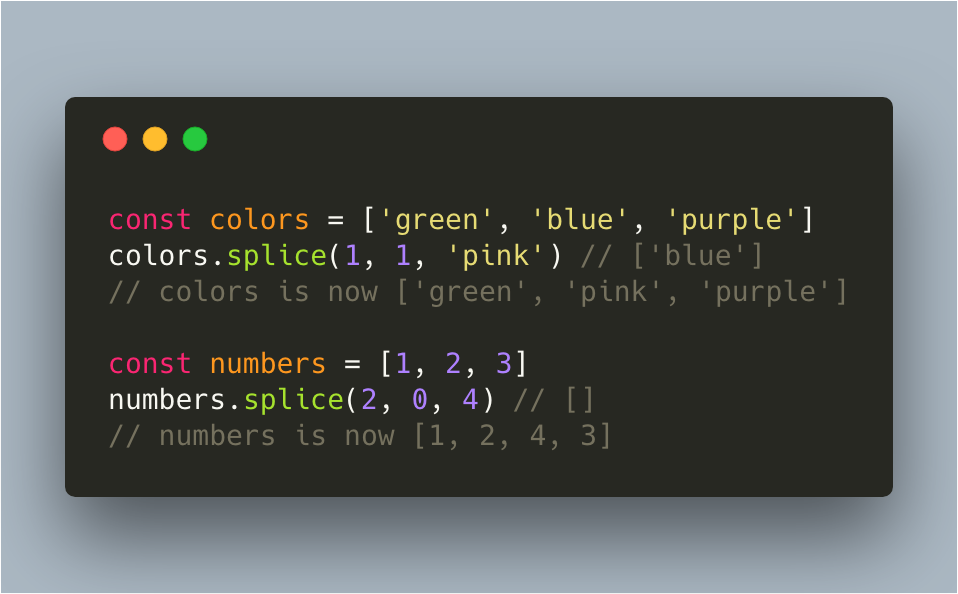
With the splice method, you can either add or remove values from an array, based on whether the second argument is higher than 0 or not. If the second argument is 0, it means that you want to remove 0 items, and only want to add new ones. Otherwise, it indicates the amount of items you want to remove.
The splice method itself returns an array with the element(s) you want.
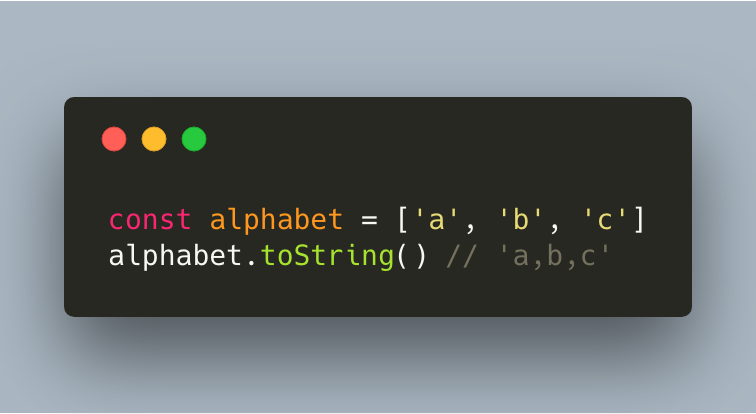
.toString()
The toString method converts the array to a string and returns the result
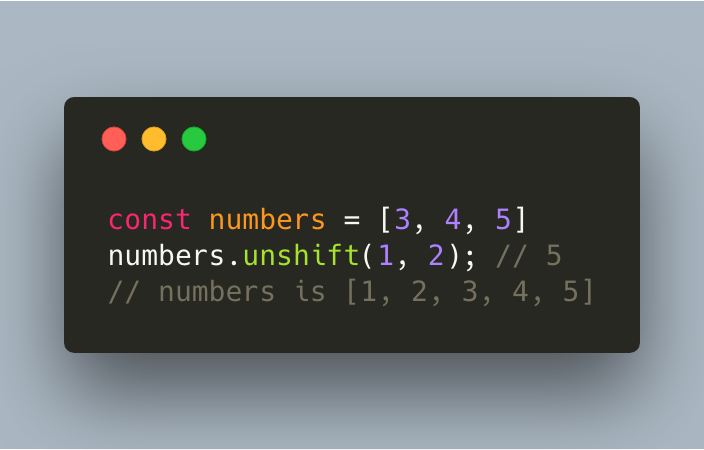
.unshift()
The unshift method adds a new value to the beginning of the array, and returns the new length of the array.
References and further reading
- MDN: Array instance methodsEvery method, grouped by what it does.
- MDN: mapTransform every item and return a new array.
- MDN: reduceFold an array into a single value.