Course contents
- 01Variables
- 02Primitive Data Types
- 03Operators
- 04Conditionals
- 05Arrays
- 06Array methods and properties
- 07Objects
- 08Functions
- 09Callbacks
- 10Arrow functions
- 11Promises
- 12Async and await
- 13Loops
- 14DOM Manipulation
- 15Syntax parser
- 16Execution context and hoisting
- 17Call stack
- 18WebAPI and setTimeout
- 19Closures
- 20Function Constructors and Prototypes
- 21By value vs by reference
Loops
In order to iterate over data in JavaScript or do something repeatedly, we use loops. There are different types of loops that can be used for different use cases:
For loops
For/in loops
While loops
Do/while loops
For loops
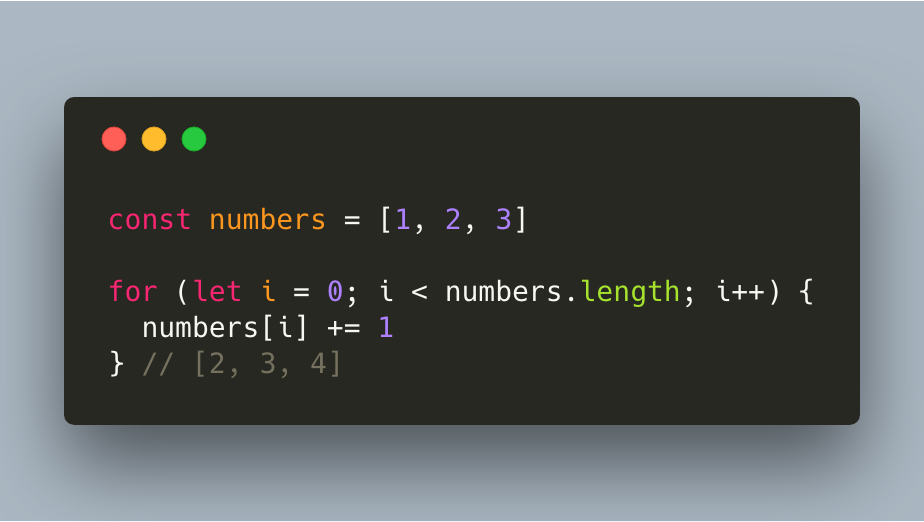
Let’s say that we have an array with numbers, and we want to modify this array by adding exactly 1 to all numbers.
Initialization expression
The first part of our for loop starts with i = 0, or basically: index equals zero. By saying i = 0, you’re just saying: the loop has to start at the first item in the array. If we said i=1, the loop would’ve started at the second item in the array. This part is called the initialization expression and runs only once!
Conditional expression
JavaScript evaluates this expression before each loop! By writing
i < numbers.length, you are basically saying “keep the loop going as long as there are items in the array”. Before each and every loop, JavaScript checks whether the conditional expression returns true or false. If it returns true, if moves on to the third part of the loop. If it returns false, the loop ends and JavaScript moves on to the next line of code. You can replace the numbers.length with any value you like, f.e. i < 3.
final expression
The third and last part of the loop increases a value each time the code block in the loop has been executed, so it moves on to the next item in the array.
For/in loops
If we want to iterate over an object, we can use a for/in loop.
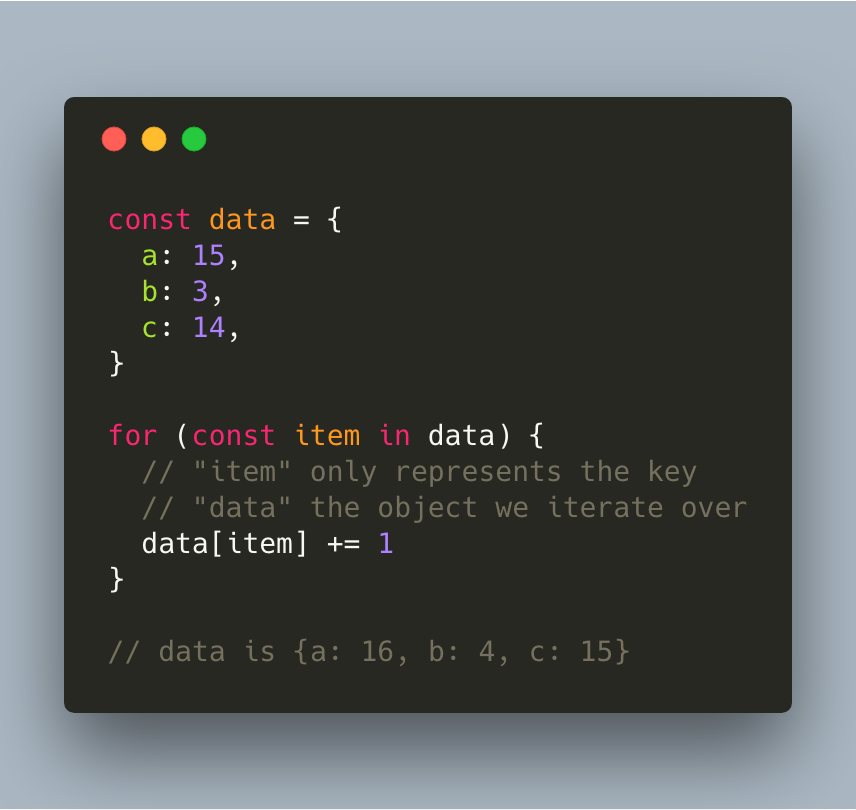
We declare a variable, in this case called “item”, that will be equal to the key on the property we are currently looping over. First, “item”s value is “a”, then “item”s value is “b”, and so on.
While loops
The while statement creates a loop that executes as the condition evaluates to true. The condition is evaluated before executing the statement.
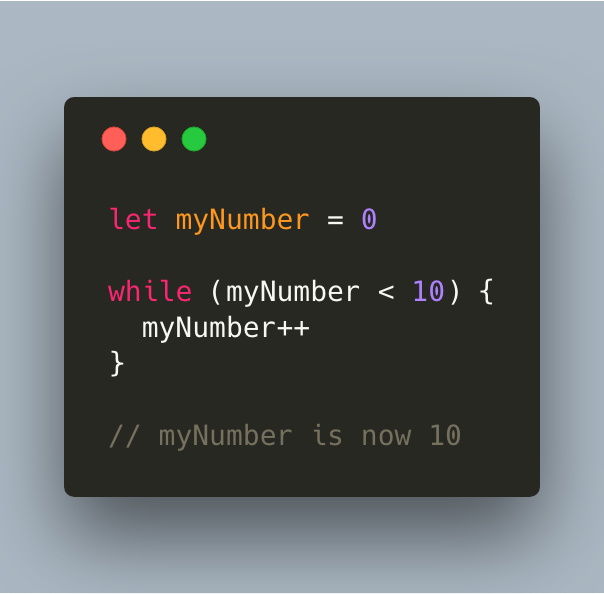
While the number has a value that’s lower than 10, the statement gets executed. The statement is myNumber++, which increases the value of myNumber on every execution. The last number where the condition would return true, is if myNumber = 9. myNumber then gets incremented one more time, which makes it 10.
Do/while loops
The do/while statement creates a loop that executes the statement until the condition evaluates to false. The condition is evaluated after executing the statement, which means that the statement will always run at least once!
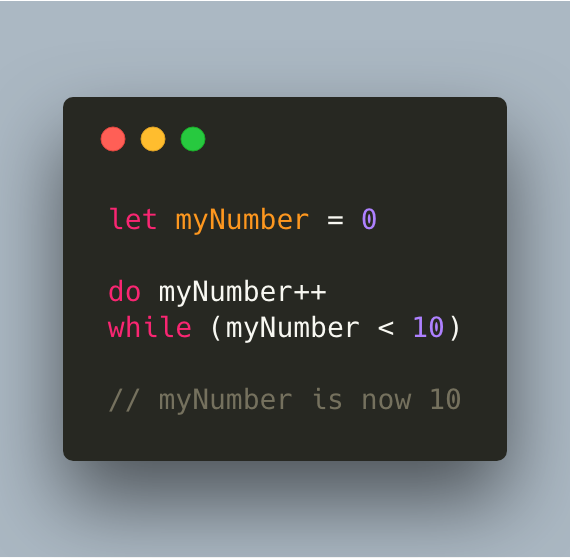
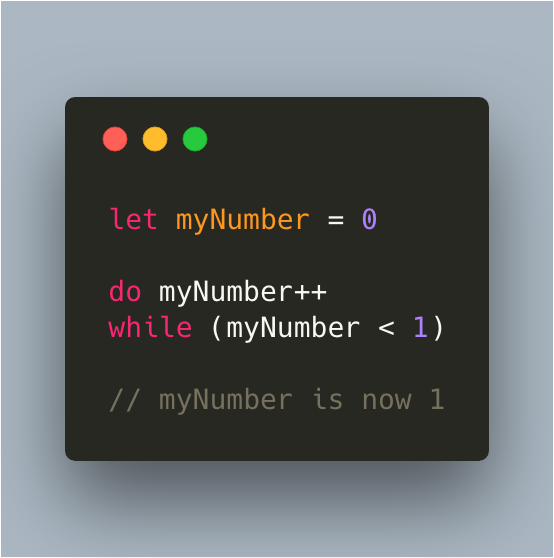
First, it increases the value of the variable myNumber with 1. Then, the condition evaluates to false, as myNumber isn’t smaller than 0, which ends the do..while loop.
Break and Continue
The break statement can be used to jump out of a loop. If a certain condition returns true, then stop the loop.
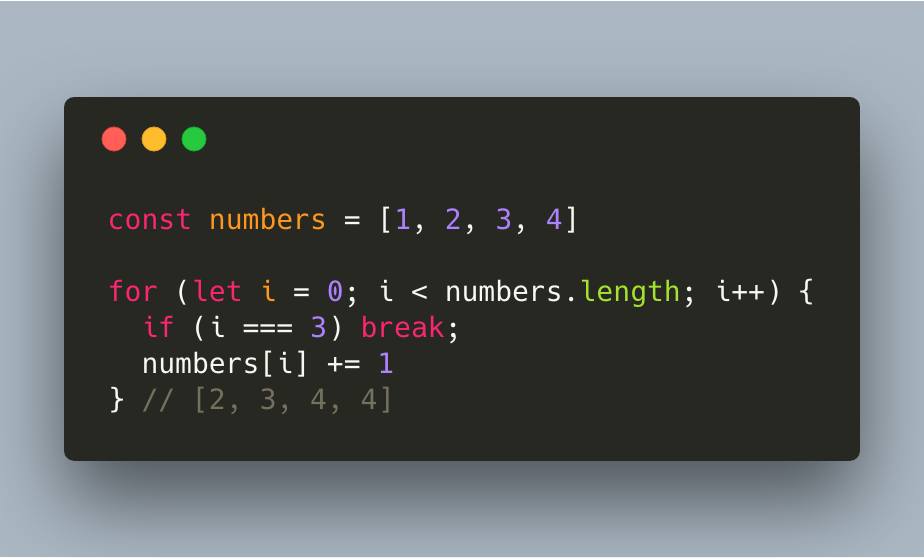
If the index of the current element is equal to 3, then jump out of the loop. This happened at the fourth element, which had the value 4. numbers[i] += 1 did not get run for that element, so its original value did not get modified.
The continue statement skips an iteration if a certain condition returns true.
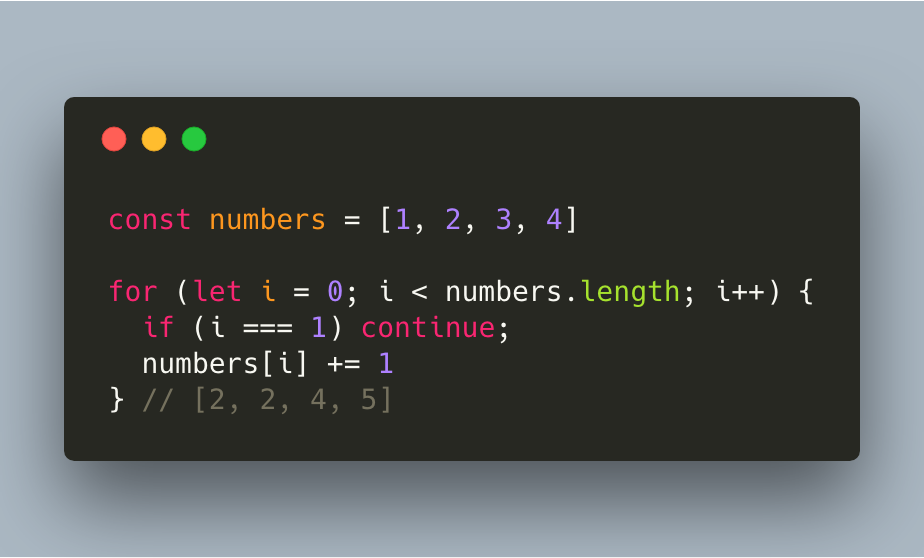
In this case, i === 1 returned true for the element that has the value of 2. It didn’t modify the original value, but continues to the next element instead.
References and further reading
- MDN: Loops and iterationEvery loop form, compared.
- MDN: for ofIterate over values instead of indexes.