Course contents
- 01Variables
- 02Primitive Data Types
- 03Operators
- 04Conditionals
- 05Arrays
- 06Array methods and properties
- 07Objects
- 08Functions
- 09Callbacks
- 10Arrow functions
- 11Promises
- 12Async and await
- 13Loops
- 14DOM Manipulation
- 15Syntax parser
- 16Execution context and hoisting
- 17Call stack
- 18WebAPI and setTimeout
- 19Closures
- 20Function Constructors and Prototypes
- 21By value vs by reference
WebAPI and setTimeout
When we execute code in browsers, we don’t just have the runtime engine, we also have something called a WebAPI. The WebAPI gives us the setTimeout method to start with, and for example the DOM. JavaScript is single threaded, meaning it can only do one thing at a time. Until now, we only saw normal functions being called, being added to the call stack, simply returning their value, and getting popped off the stack. However, what would happen if we had a setTimeout function?
Let’s say we want to log some strings to the console. We use a setTimeout in order to log the second string, with a time of 100ms.
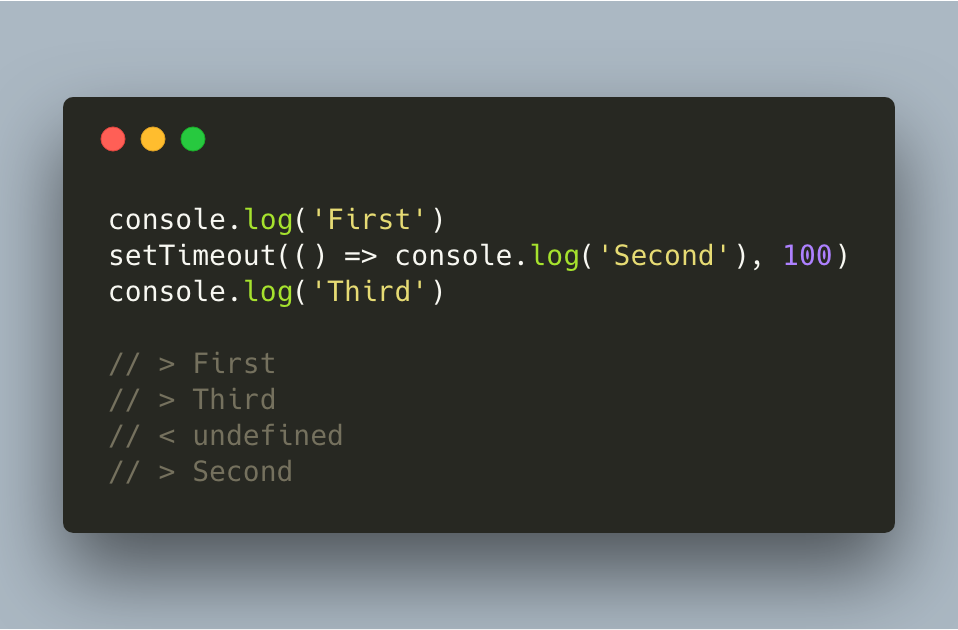
Let’s visualize what happened here:
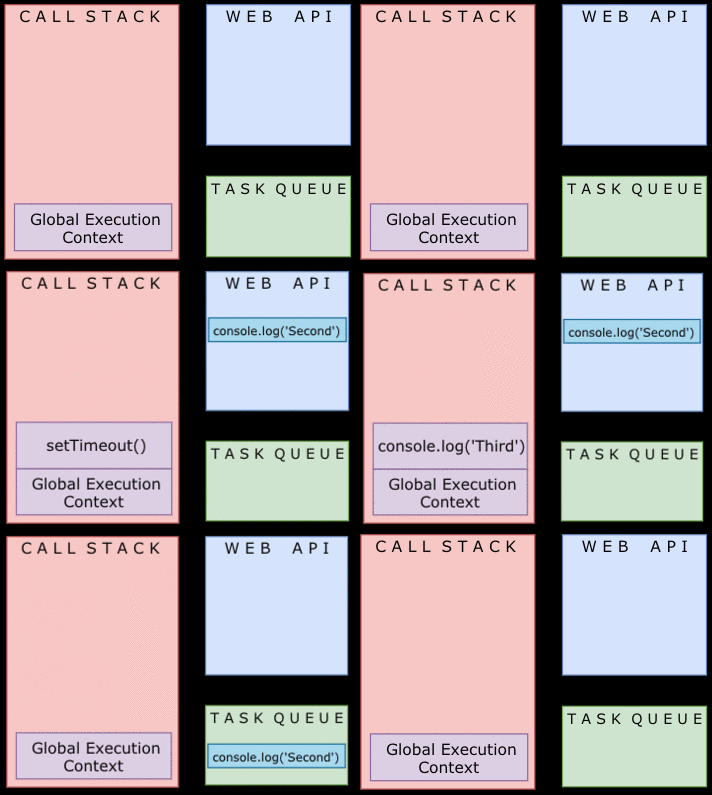
As we called the setTimeout function, it sent the code to the web api. It waited there for 100ms, however the function won’t directly be put on the call stack. Instead, it gets sent to something called a task queue. Functions in a task queue are being added to the stack, once it sees that this is completely empty. As long as there are still values on the stack, no new values from the queue will be pushed on top of the stack.
As it’s a queue structure, it’s first in first out. If we have several setTimeouts, the timeout that finishes first will also be pushed first on the stack.
If you define a setTimeout with 0 seconds, this process still happens. It will be sent to the web api, and to the task queue. This means that even though it waited for 0 seconds, it won’t be executed directly: it still waits for all other functions that have been called to return first!
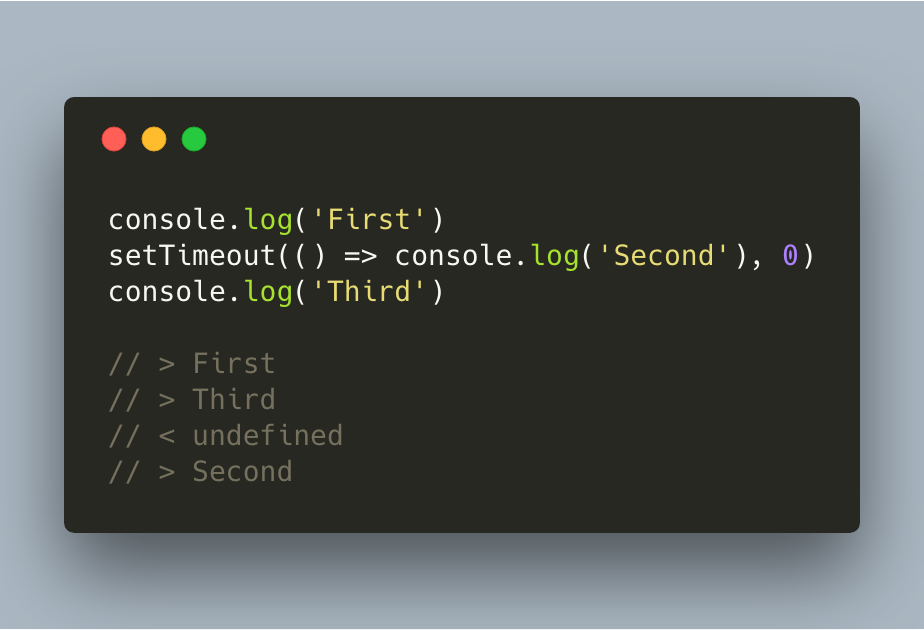
In this case, console.log(‘Third’) will still be on the stack while console.log(‘Second’) is waiting in the task queue. It waits for console.log(‘Third’) to return first, and it will then be pushed on the stack too, where it returns a value.
The undefined value that’s visible is because the setTimeout function is not returning a value.
References and further reading
- MDN: setTimeoutSchedule a callback after a delay.
- MDN: Web APIsThe browser interfaces available to JavaScript.
- MDN: Event loopHow the call stack and task queue cooperate.